
min. spend RM2,500 | Capped at RM300
min. spend RM250 (New User)
min. spend RM500
min. spend RM1,200
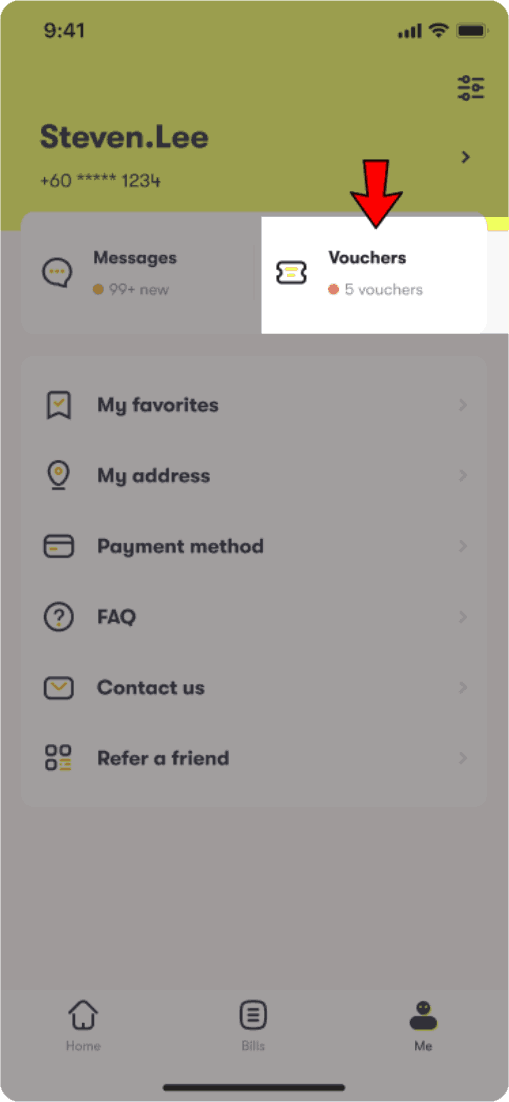
Under Me, click Vouchers

Click the icon shown in the 'My Vouchers' page to view voucher details
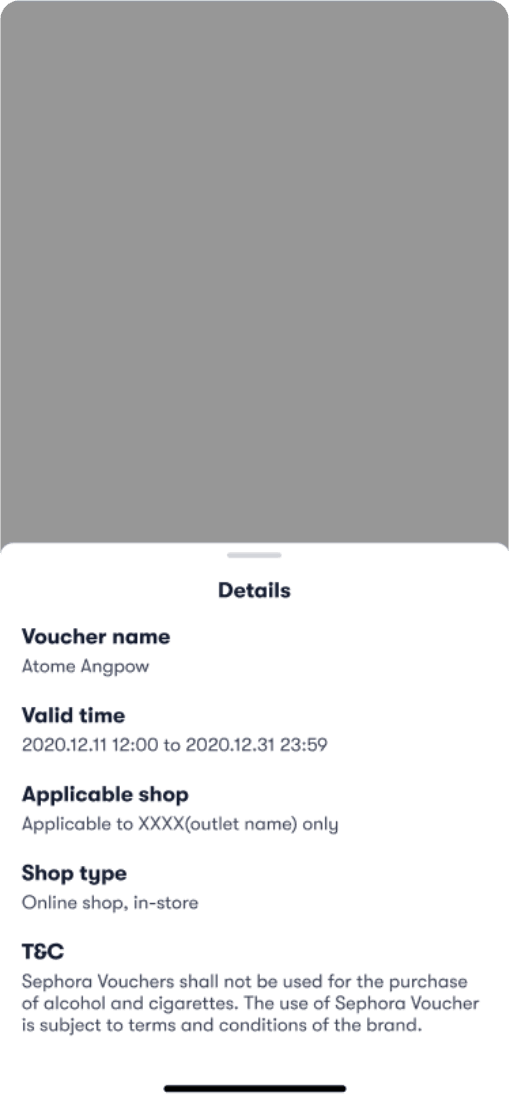
Voucher details will show validity period and other information
i.e. applicable t which brand / stores
If your are purchasing items at physical store, you may apply your voucher at the payment confirmation page.
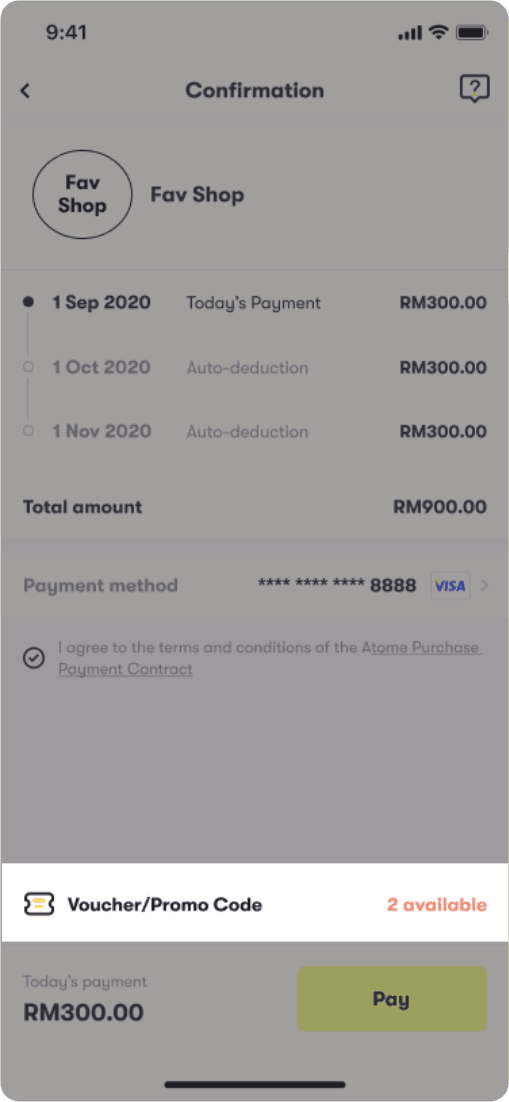
Scan the QR code with your Atome app then select your voucher at the bottom right of the screen.
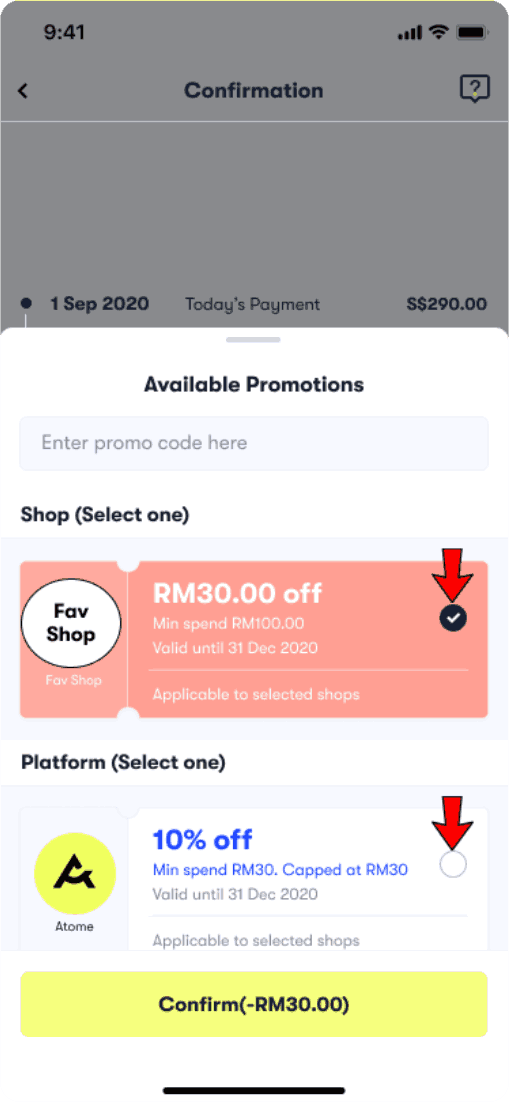
Select the voucher you wish the apply and click Confirm

You should see the total amount being adjusted to (original - voucher amount). Please check the details before clicking Pay.
|
Uploaded
Failed
|
 |
Enter your email / phone number to sign up or log in
Enter your phone number
Enter your email address
Enter your Identification Card Number
Enter the password to your account
By continuing, you agree to our Terms of Service and acknowledge that you’ve read our Privacy Policy.
Enter all your details to create an account
By continuing, you agree to our Terms of Service and acknowledge that you’ve read our Privacy Policy.