



How to Choose the Right Smart TV for Your Home

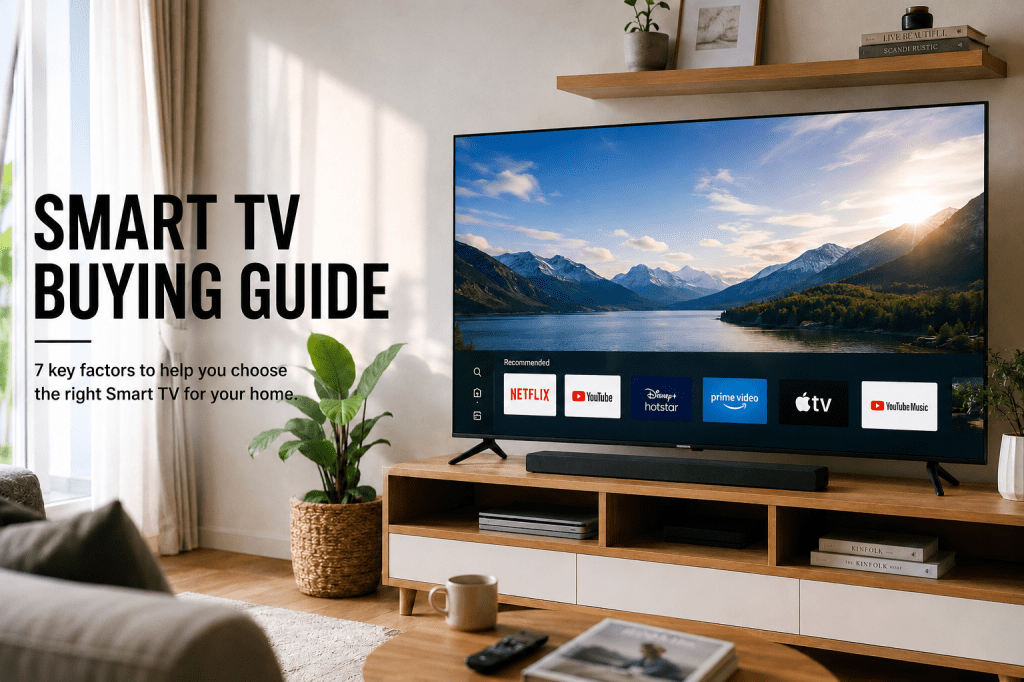
One screen promises sharper 4K pictures. Another comes with Google TV, Mini LED or AI processing. Then you still need to choose between 43, 55, 65 or even 85 inches.
The right Smart TV is not simply the largest or most expensive model you can afford. It should fit your room, viewing distance, daily habits and the devices you plan to connect.
For most Malaysian homes, the decision comes down to seven things: screen size, 4K picture quality, display technology, smart platform, connectivity, warranty and total budget.
This Smart TV buying guide explains each factor, whether you mainly stream movies, watch television with the family, play console games or simply want an easier way to access your favourite apps.
Quick Smart TV Buying Checklist
Before comparing individual models, answer these questions:
- How far is the sofa from the TV?
- How much wall or console space is available?
- Does the TV have 4K UHD resolution?
- Is the screen bright enough for your room?
- Does its smart platform support the apps you use?
- Do you need 120Hz, VRR or other gaming features?
- Are there enough HDMI and USB ports?
- What warranty, delivery and installation support is included?
- Does the final price fit your budget or preferred instalment plan?
Once these points are clear, choosing a Smart TV becomes much easier.
What Is a Smart TV?
A Smart TV is a television that connects to the internet and runs apps without requiring a separate streaming device. Depending on its operating system, it may provide streaming applications, Wi-Fi, screen casting, voice search and personalised content recommendations.
“Smart TV” describes the TV’s connected functions. Terms such as 4K, QLED, OLED and Mini LED describe its resolution or picture technology.
This means two televisions can both be Smart TVs but deliver very different picture quality, features and user experiences.
Choose the Right TV Size for Your Room
It is easy to fall in love with a large screen inside a spacious showroom. At home, the same television may feel completely different.
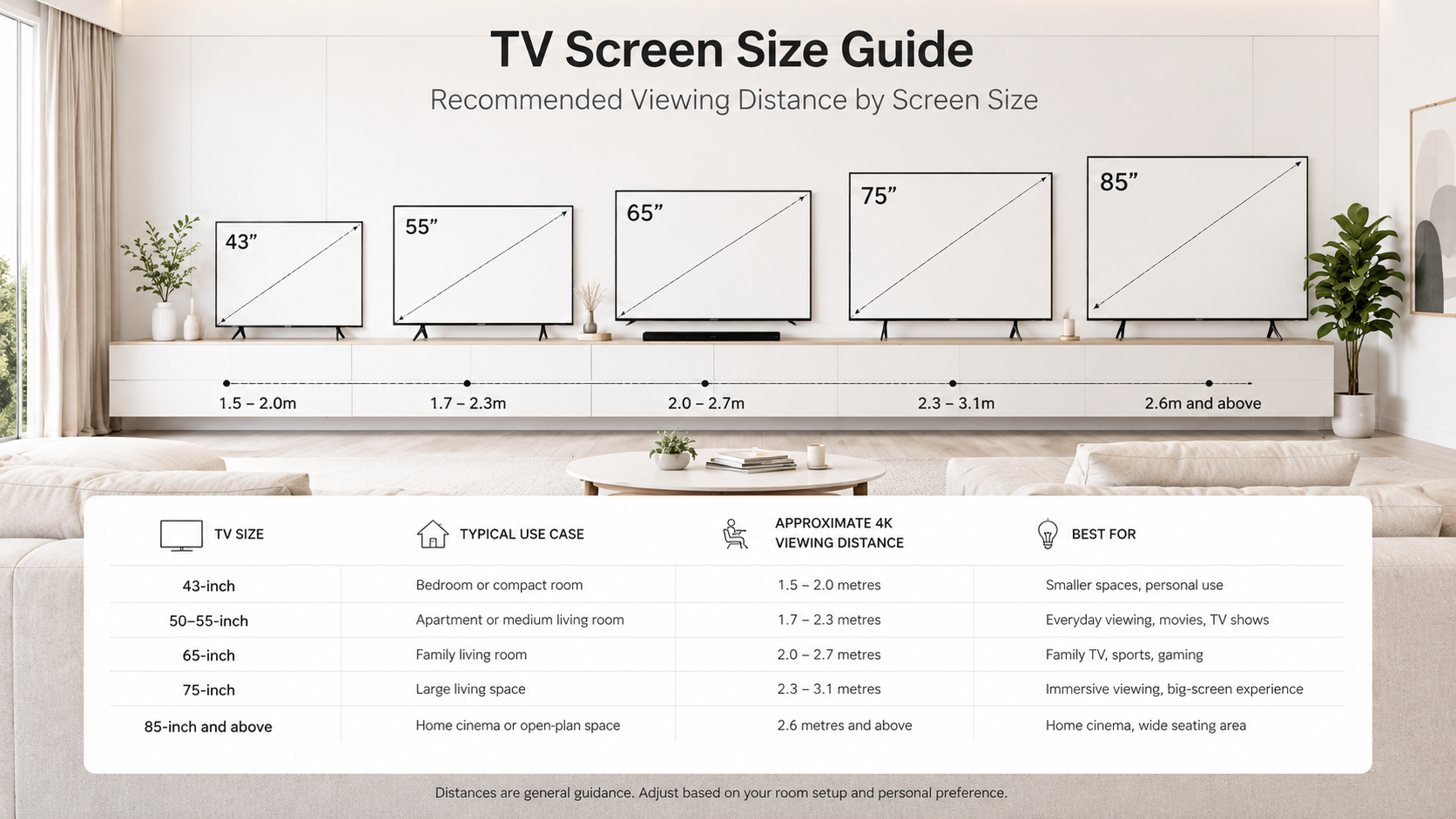
Room dimensions matter, but viewing distance is more useful. You should also measure your wall, TV console and delivery route before ordering.
| TV size | Typical use case | Approximate 4K viewing distance |
|---|---|---|
| 43-inch | Bedroom or compact room | 1.5–2.0 metres |
| 50–55-inch | Apartment or medium living room | 1.7–2.3 metres |
| 65-inch | Family living room | 2.0–2.7 metres |
| 75-inch | Large living room | 2.3–3.1 metres |
| 85-inch and above | Home cinema or open-plan space | 2.6 metres and above |
These distances are general guidance rather than strict rules. Some viewers enjoy sitting closer for a more immersive picture, while others prefer additional distance.
Before buying, use masking tape to outline the television’s width and height on your wall. Sit in your usual position and check whether the screen feels comfortable, blocks furniture or overwhelms the room.
Is 4K UHD Important?
Yes, particularly when buying a TV measuring 50 inches or larger.
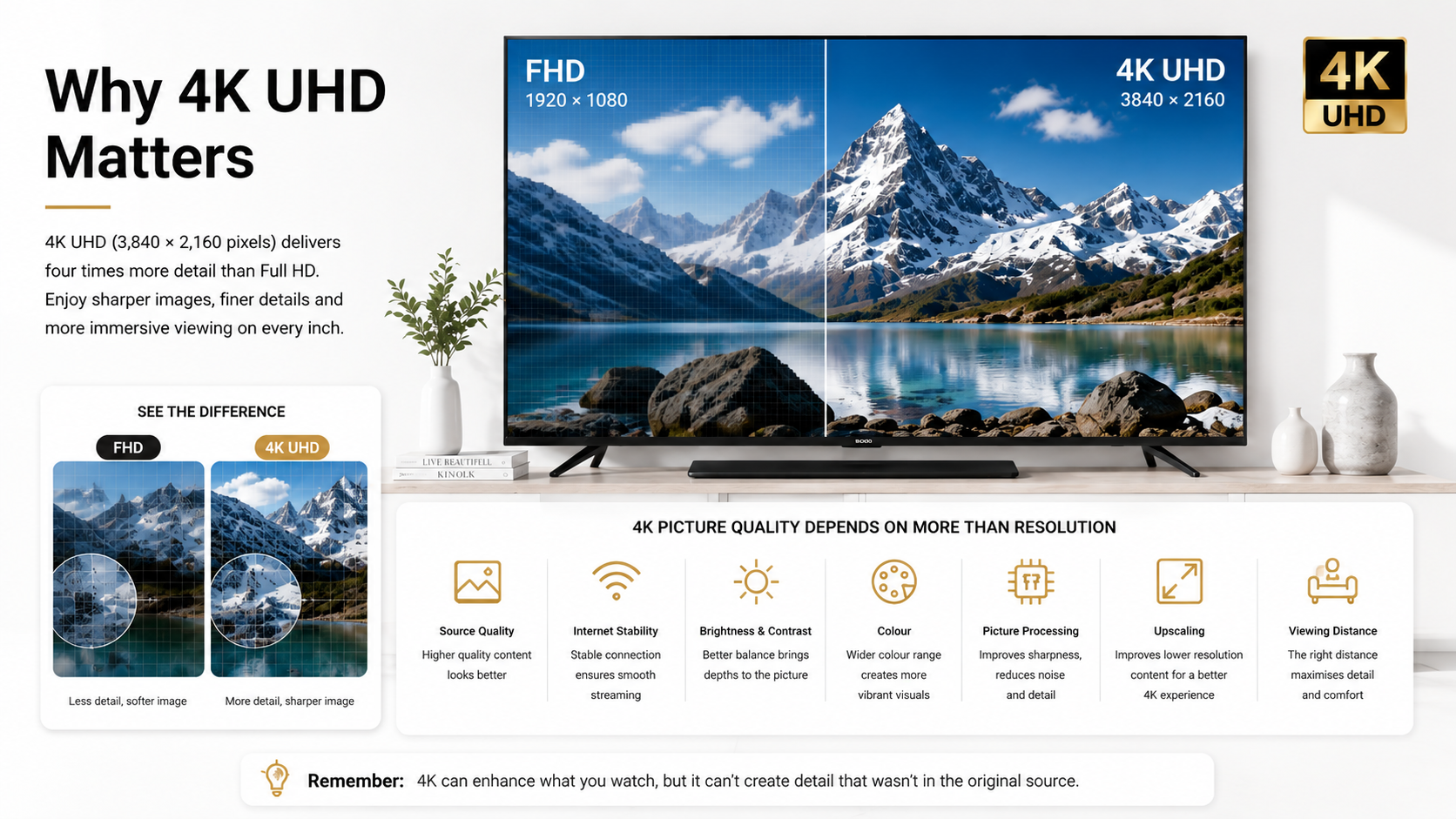
A 4K UHD Smart TV has a resolution of 3,840 × 2,160 pixels. The additional pixels help larger screens display more detail when suitable 4K content is available.
However, the 4K label alone does not guarantee excellent picture quality.
The final image also depends on:
- The quality of the original video
- Streaming bitrate and internet stability
- Brightness and contrast
- Colour reproduction
- Picture processing
- Upscaling performance
- Viewing distance
A good processor can make HD broadcasts and older videos look cleaner on a 4K screen. It cannot fully recreate detail that was missing from the original source.
The Skyworth 4K UHD Google TV is a relevant entry-level example for buyers seeking accessible 4K viewing. Its current senQ page lists 43-inch and 50-inch options, Google TV functionality and instalment availability, subject to current terms.
Which Smart TV Platform Should You Choose?
The smart platform controls how you browse apps, search for content and move between streaming services.
Google TV
Google TV brings compatible apps and content together within one interface. It supports app downloads, recommendations, voice-assisted search and casting from compatible phones, tablets or computers. App and feature availability may vary by country, device and service.
This makes a Google TV useful for households that regularly switch between different streaming services and want content organised in one place.
Other Smart TV Platforms
Other televisions may use platforms such as:
- Samsung Tizen
- LG webOS
- VIDAA
- Other manufacturer-specific systems
There is no platform that is automatically best for every user. Before purchasing, confirm that your preferred Malaysian streaming apps are available and check whether the TV supports voice control, screen casting and the devices you already own.
Do not choose based only on a familiar interface. Picture quality, speed, app support and future software updates matter too.
What Picture and Performance Features Matter?
Brightness and Reflection Handling
A living room with large windows needs enough brightness to keep the picture visible during the day. Reflection handling is equally important because windows and ceiling lights can appear across the screen.
Contrast and Black Levels
Strong contrast helps dark scenes look deeper and more detailed. This matters for movies and evening viewing.
OLED normally provides stronger black levels, while Mini LED and TVs with effective local dimming can combine good contrast with higher brightness.
Refresh Rate and Motion
A 60Hz TV is sufficient for ordinary programmes and casual streaming.
For console gaming, football and fast action, consider a native 120Hz or 144Hz model. A higher refresh rate can support smoother movement when the source also provides a compatible frame rate.
HDR and Picture Processing
HDR can improve highlights, colour and contrast when supported by the TV and content. Picture processors also help with upscaling, motion handling and adjusting the image for different scenes.
Gaming Features
Gamers should check for:
- Low-latency or Game Mode
- HDMI 2.1
- Variable Refresh Rate
- Auto Low Latency Mode
- 4K at 120Hz support
- Enough HDMI ports for consoles and audio devices
Do not assume every HDMI port supports the same features. Check the exact model specification.
Recommended Smart TVs to Consider
These examples serve different room sizes and viewing needs. Check the latest price and availability before purchasing.
Skyworth 4K UHD Google TV: Accessible 4K and Google TV
Available in 43-inch and 50-inch options on the current product page, this model suits bedrooms, apartments and buyers who want 4K UHD with Google TV without immediately moving into the premium segment.
Best for: Everyday streaming and accessible 4K viewing.
Samsung 50-Inch UHD 4K AI Smart TV: Medium-Room All-Rounder
This 50-inch model features Samsung’s Crystal Processor 4K and Vision AI functions. Its size makes it practical for apartments and medium living rooms where a 65-inch screen may feel excessive.
Best for: General family viewing and a balanced screen size.
Sony 65-Inch BRAVIA 7 II: Premium Picture Processing
The BRAVIA 7 II combines a 65-inch 4K HDR display with Sony’s XR Processor with AI and AI-assisted upscaling. It is positioned for viewers who place greater importance on picture processing and premium home entertainment.
Best for: Movies and premium family-room viewing.
Hisense 75-Inch U6SE Mini LED TV: Large, Bright-Room Viewing
The Hisense U6SE combines a 75-inch screen with Mini LED technology and the VIDAA smart platform. This type of setup suits larger rooms where screen impact and daytime brightness are priorities. Check its live availability because the product page may show a preorder status.
Best for: Large living rooms, sports and bright environments.
Toshiba 100-Inch Z670SP QD Mini LED TV: Home-Cinema Upgrade
The Toshiba Z670SP combines an 85-inch display with QD MiniLED technology and the VIDAA platform. It is a more suitable choice for large or open-plan spaces than for compact rooms.
Best for: Premium large-screen and home-cinema-oriented setups.
Warranty, Delivery, Installation and Payment Options
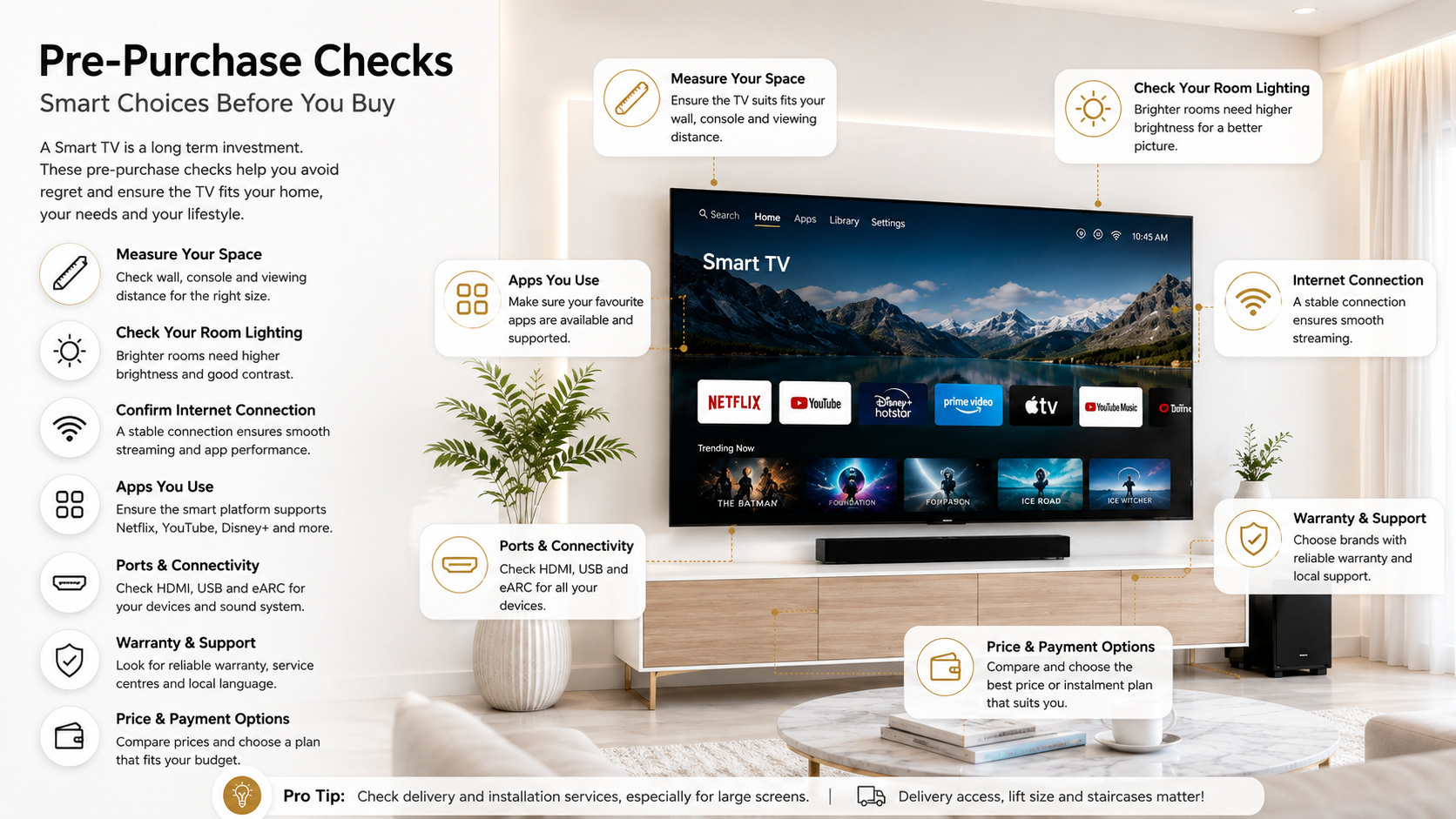
A Smart TV is a high-value appliance, so after-sales support should be part of the decision.
Check whether coverage comes from the manufacturer, retailer or an extended-warranty programmed. Warranty duration and conditions may differ between brands and individual models.
Current senQ product pages may show benefits such as an additional one-year warranty, nationwide delivery, store pickup and 0% instalment options. These are subject to the terms displayed on the relevant product page and may change over time.
Confirm whether delivery includes carrying the TV into the room, basic setup or wall mounting. Do not assume installation is included simply because delivery is available.
Final Verdict
Choosing a Smart TV becomes simpler once you stop comparing marketing labels and start with your actual needs.
Measure the room first. Decide how you use the TV. Then compare 4K quality, smart platform, brightness, refresh rate, ports, warranty and final cost.
A carefully selected 50-inch TV can be more satisfying than an oversized screen in the wrong room. Likewise, a premium 75-inch or 85-inch model makes sense when you have the space and content to enjoy it.
Compare Smart TVs and check the latest price at senQ before making your final decision.
Frequently Asked Questions
Is a Bigger TV Always Better?
Not always. A larger TV can feel more immersive, but it may also overwhelm a small room or make lower-quality content look worse.
The best size depends on your viewing distance, available wall space and the type of content you watch. A well-positioned 55-inch TV can provide a better experience than an oversized 75-inch TV placed too close to the sofa.
Why Are Some TVs Much More Expensive Even When They Are the Same Size?
Screen size is only one part of the price.
A more expensive TV may include:
- Better picture processing
- Higher brightness
- Stronger contrast or local dimming
- A 120Hz or 144Hz panel
- Better motion handling
- More advanced gaming features
- Improved speakers
- Better reflection handling
- Longer or more comprehensive support
Two 65-inch TVs can therefore deliver very different viewing experiences.
How Many HDMI Ports Do I Actually Need?
Count every device you plan to connect:
- TV box
- Soundbar
- Gaming console
- Blu-ray player
- Laptop or PC
Then choose a TV with at least one spare HDMI port where possible.
Also check which HDMI port supports EARC for audio and whether HDMI 2.1 gaming features are available on every port or only selected ports.