



A Better Way to Enjoy Home Entertainment

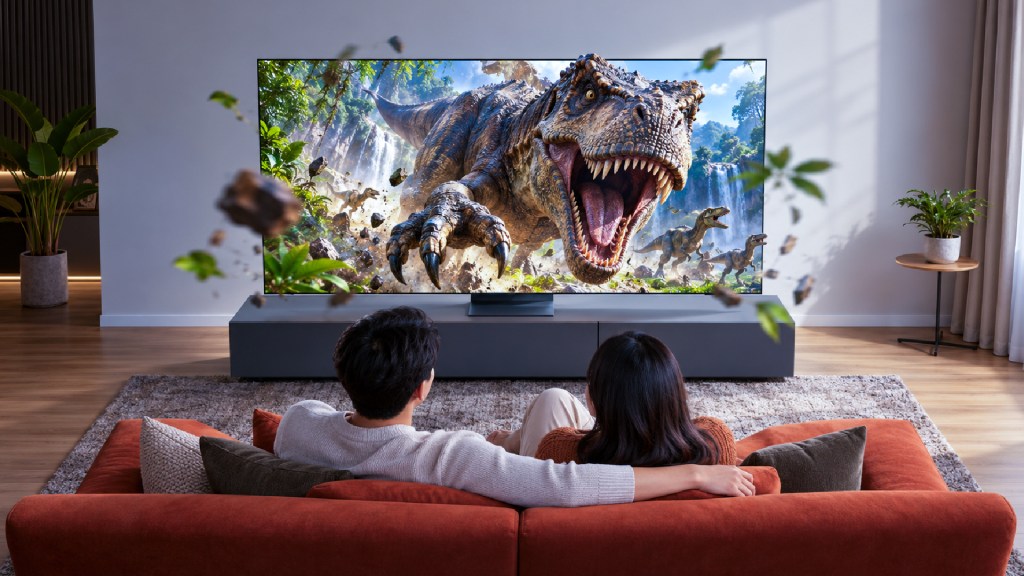
Big Screens, Smarter Living
You get home, put your bag down and sit on the sofa for “just five minutes”. Somehow, those five minutes turn into a full discussion about dinner, a search for the remote and a serious investigation into what everyone wants to watch. The laptop is still open nearby, your phone is charging and the television has been patiently displaying the same menu.
Ever spent so long choosing what to watch that the snacks were finished before the first scene? It is one of those small, slightly ridiculous moments that make staying home enjoyable. Our technology sits right in the middle of it all, helping us unwind and occasionally giving us another cable to untangle.
A sustainable tech setup fits into this everyday picture. It grows through useful purchases, a little care and habits that help us enjoy our devices without leaving them running unnecessarily. There is plenty of room for a cosy night in along the way.
A Cosy Home With a Few Smarter Habits
Think about the devices that make your evenings easier. The television brings everyone together, the laptop handles a last-minute task and your favourite playlist makes preparing dinner feel less like a chore. Giving those devices a clear role helps you recognise what your home actually needs.
The small gaps between uses deserve attention too. A computer may stay awake after work, or the television might continue playing after everyone has wandered into the kitchen. Some electronics also use electricity in standby, even when they appear to be switched off.
Reviewing sleep settings, switching off unused equipment and choosing suitable screen brightness can help reduce unnecessary power use. Pair those habits with keeping useful devices for longer, and your everyday setup becomes easier to manage as well.
Start With the Drawer Nobody Wants to Open
Every home seems to have a drawer where cables gather in a knot that nobody remembers creating. Inside, there might be a spare HDMI cable, three similar chargers and something that probably belonged to a phone from another era. It is less a storage system and more a collection of unfinished mysteries.
How many chargers in that drawer still belong to something you actually own? A quick sort can uncover useful accessories and show you which items need a proper next destination. Keep compatible spares together so you can find them before accidentally buying the same cable again.
Check the equipment around your home while you are at it. A television may only need its settings adjusted. A laptop might continue meeting your needs with an appropriate software or hardware upgrade. Assess its condition before deciding on a replacement.
When something new is needed, consider how it will fit into your life. Compare available energy consumption information, compatibility, price and warranty coverage alongside the features you will use regularly.
Small Changes for the Way You Actually Live
The easiest habits usually attach themselves to something familiar. Shutting down the computer can become the final step of finishing work. Switching off the television can join the bedtime routine, somewhere between checking the door and remembering where you left your phone.
Choose a few changes that work with your household’s rhythm.
Everyday Moment | A Small Habit to Try | How It Helps |
The last email of the day | Enable automatic sleep settings and shut down the computer during longer periods of non-use | Reduces power used by inactive equipment |
The film ends and everyone heads to bed | Switch off the television and review available power controls | Avoids unnecessary screen operation |
The laptop finishes charging | Disconnect its charger when appropriate, following manufacturer guidance | Helps limit unnecessary connected power use |
The TV cabinet starts looking crowded | Check whether every streaming accessory still has a useful role | Reduces duplication and simplifies the setup |
The weekend drawer clear-out | Sort unused electronics for reuse or suitable recycling | Gives forgotten devices a clear next destination |
You can start with one area and build from there. A routine that everyone remembers is far more useful than an ambitious household plan that gets abandoned after a busy Tuesday.
Make Movie Night a Little Smarter
A good night in has its own atmosphere. The lights are softer, the drinks are within reach and someone has claimed the best cushion. Taking a few minutes to explore your television’s settings can help the screen fit that room more comfortably.
Automatic brightness control, where supported, responds to surrounding light and can help reduce energy use. Review the controls on your model and choose settings that suit your usual viewing conditions.
Explore its built-in apps too. If the television already supports your favourite streaming services, it may be able to handle that task without a separate streaming device. Checking first can save you from adding another box and another cable to a cabinet that is already quite busy.
The TCL 98-inch C6K Premium QD-MiniLED TV, for example, includes an energy-saving mode with brightness, adaptive brightness, dynamic brightness and inactivity controls. These are useful options to explore while getting familiar with how the television operates.
Choose a TV for Your Favourite Evenings
What does your perfect night in look like? Perhaps it involves a film everyone has been waiting for, a football match with running commentary from the sofa or a favourite series on a rainy afternoon.
Picture those evenings before choosing a new television. Measure the space where it will sit, consider the distance from your seating area and think about the devices you connect. A screen should fit comfortably into the room where you will actually enjoy it.
When browsing for an upgrade at senQ, let those everyday preferences guide your shortlist. The following models offer different screen sizes and entertainment features to compare.
Television | Screen Size | Features to Explore | A Possible Place in Your Routine |
98 inches | 4K QLED display, VIDAA smart platform and Dolby Vision support | Family movie nights in a spacious living room, complete with everyone’s running commentary | |
85 inches | QLED display, Google TV and built-in Chromecast | Large-screen streaming and sharing content during a relaxed evening at home | |
75 inches | 4K UHD display and Google TV | Everyday viewing, from a favourite drama to a weekend film | |
98 inches | QD-MiniLED display, 144Hz native refresh rate and energy-saving controls | Films, sports and gaming in a spacious entertainment area | |
75 inches | QD Mini LED display, Google TV and sound by KEF | Smart entertainment with integrated audio for your usual sofa sessions |
Keep electricity use in the comparison too. QLED and Mini LED describe display technologies; the names alone do not establish which television consumes the least energy. Compare figures for the exact models under similar conditions, alongside the settings and viewing hours you expect to use.
Give Your Everyday Devices a Little Care
Once a device becomes part of your routine, it is easy to take it for granted. It gets switched on, does its job and disappears into the background until something goes wrong.
A little regular care can help you stay on top of its condition. Follow the manufacturer’s cleaning instructions, allow the recommended ventilation and install supported software updates. Store receipts and warranty information somewhere you can find them without searching every drawer in the house.
If a fault develops, explore service and repair options before making a replacement decision. Understanding the problem, likely cost and available support gives you a clearer idea of what makes sense for equipment that still suits your needs.
A New Home for Your Old Favourites
A new purchase also brings a decision about the device it replaces. A working television may suit a family member’s home, while other equipment could be suitable for donation or resale. Before passing on connected electronics, remove personal information and unlink your accounts.
Electronics contain materials such as metals, glass and plastics, which require resources and energy to produce. Keeping usable equipment in circulation gives those devices another opportunity to serve a purpose.
For equipment that has reached the end of its useful life, arrange appropriate e-waste collection. Malaysia’s Department of Environment advises households to use registered collection centres or licensed recovery facilities. Planning this step early helps keep another forgotten device from settling permanently into the cupboard.
Your Next Night In Could Come With a Little Extra
A sustainable tech setup develops through choices that work for your home. Useful equipment, manageable habits and proper care can sit comfortably alongside the evenings you already enjoy.
When it is time for an upgrade, explore your options at senQ and compare the features that matter to your household. Check the S-Coin rewards and extra year of warranty available on eligible purchases, subject to applicable membership, product and promotional terms. A little extra value is a pleasant addition to a purchase you have already thought through.
Picture the next movie night: the work laptop is properly shut down, the television is set comfortably for the room and the cabinet has fewer mystery cables. The small surprise is how much a few ordinary changes can improve a familiar space. One suggestion before everyone settles onto the sofa: choose the film before opening the snacks. Your living room may be smarter now, but the popcorn still cannot refill itself.