



Google TV vs Android TV vs Smart TV: A Technical Comparison

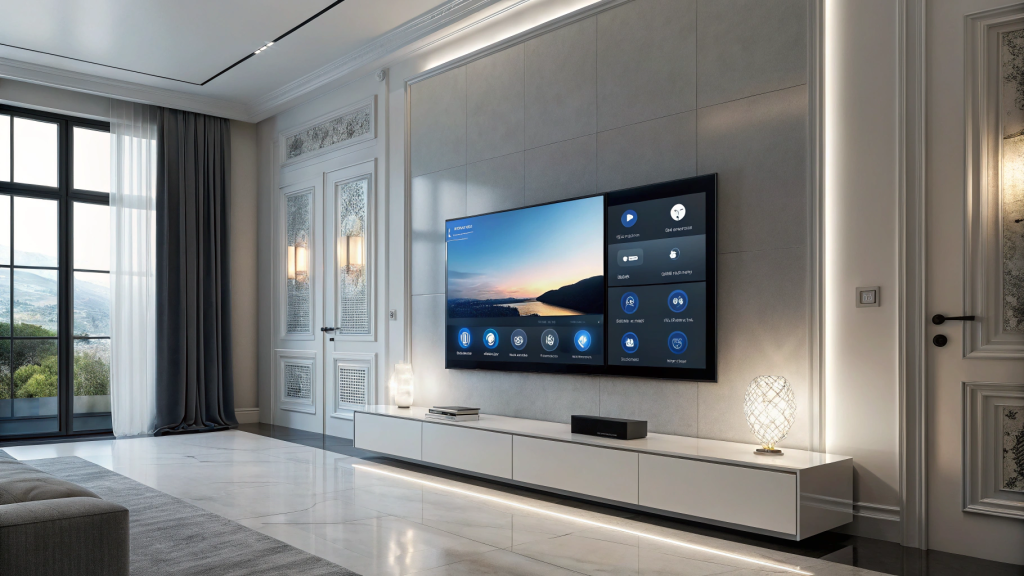
Buying a new TV is no longer just about screen size and picture quality. The software powering your TV can affect how easily you find content, install apps, control compatible smart-home devices and interact with the screen.
Three terms you will commonly see when shopping for a television are Google TV, Android TV and Smart TV. Although they may sound similar, they do not mean exactly the same thing.
This guide compares Google TV vs Android TV vs Smart TV based on their interfaces, apps, smart features and everyday usability, so you can choose the right platform for your viewing habits.
Key Takeaway
Do not choose a TV based on the platform name alone. Its processor, memory, app support, display technology and overall hardware also affect speed, picture quality and long-term usability.
Google TV vs Android TV vs Smart TV: Quick Comparison
The simplest way to understand the difference is that Google TV and Android TV are related Google-powered experiences, while Smart TV is a broad category that includes many operating systems.
| Feature | Google TV | Android TV | Manufacturer Smart TV |
|---|---|---|---|
| What it is | A newer Google TV experience built on Android TV OS | Google’s established TV operating system | A general category that includes brand-specific platforms |
| Home screen focus | Content recommendations across compatible services | Apps and channels in a more traditional layout | Varies according to the TV manufacturer |
| App ecosystem | Google Play-compatible TV apps | Google Play-compatible TV apps | Manufacturer’s supported app store |
| Voice and smart home | Google services on compatible models | Google services on compatible models | Depends on the brand and model |
| Best for | Content discovery and Google ecosystem users | Users who prefer the familiar Android TV interface | Users invested in a particular brand ecosystem |
What Is Google TV?
Google TV is Google’s newer smart-TV experience designed around content discovery and personalisation. It is built on Android TV OS but uses a different interface.
Instead of making you open individual streaming apps to search for something to watch, Google TV brings recommendations from compatible services together on the home screen.
Key Features of Google TV
- Personalised content recommendations
- Google Assistant support on compatible models
- Access to compatible apps through the Google Play ecosystem
- Google Cast support on compatible TVs
- Integration with compatible Google smart-home devices
Google TV can be especially useful for viewers who already use Google services and want a more streamlined way to discover movies, programmes and other content.
Google TV Models to Consider
Large-Screen Google TV
Sharp 75-inch AQUOS 4K Google TV
A large-screen option for viewers who want the Google TV experience together with 4K resolution.
Mid-Size Google TV
Sony 55-inch BRAVIA 3 4K Google TV
A more compact option combining Google’s TV platform with Sony’s 4K picture-processing technology.
What Is Android TV?
Android TV is Google’s TV operating system that has been used across televisions and streaming devices for years. It provides access to compatible apps and services through the Google Play ecosystem.
An important distinction is that Google TV is built on Android TV OS. They share much of the same underlying technology, but Google TV provides a newer, more content-focused interface.
Android TV May Suit You If:
- You are familiar with Android devices
- You already use Google services
- You want access to a broad range of compatible TV apps
- You prefer a more traditional app-focused Android TV interface
Some models and product listings may still highlight Android TV functionality, although many newer TVs now use the Google TV interface.
Android TV Example
Haier S75E Series QLED 4K UHD
The product listing highlights Android TV functions and Google services alongside its QLED 4K display.
What Does Smart TV Actually Mean?
Unlike Google TV or Android TV, Smart TV is not one specific operating system. It is a general term for a television that can connect to the internet and provide online or connected features.
- Streaming apps
- Internet connectivity
- An app store or supported app library
- Voice-control options on compatible models
- Screen mirroring or casting features
- Smart-home integration on supported models
Different manufacturers may use their own platforms. For example, Samsung Smart TVs use Samsung’s Tizen-based software, with features varying by model and generation.
Manufacturer Smart TV Example
Samsung 50-inch Crystal UHD U8000F 4K Smart TV
This model uses Samsung’s smart-TV platform and includes connected features designed for the Samsung ecosystem.
Which TV Platform Should You Choose?
Choose Google TV If:
- You use Google services frequently
- You value personalised content recommendations
- You want convenient access to compatible streaming apps
- You prefer a content-focused home screen
Choose Android TV If:
- You prefer the traditional Android TV experience
- You want Google Play-compatible TV apps
- You already use Android devices and Google services
- You prefer an app-focused interface
Choose a Manufacturer Smart TV Platform If:
- You already own compatible devices from the same brand
- Brand-specific smart-home integration is important
- You prefer the manufacturer’s interface and ecosystem
- You want features designed for that TV brand
Performance: Is One TV Platform Faster?
Not necessarily. The operating system matters, but the TV’s hardware can have a bigger impact on how responsive it feels.
When comparing televisions, look beyond the platform and check:
- Processor
- Memory and storage
- Picture processor
- Refresh rate
- Resolution
- HDR support
- Wi-Fi and network connectivity
- Available apps and software updates
A well-equipped TV with a capable processor can feel significantly more responsive than a lower-spec model, even when both use a similar smart-TV platform.
Frequently Asked Questions
Is Google TV the same as Android TV?
They are closely related but not identical. Google TV is a newer interface built on Android TV OS, with a stronger focus on content recommendations and personalisation.
Can a Smart TV be a Google TV?
Yes. Smart TV is the broad category, while Google TV describes the specific software experience used by some smart televisions.
Does every Smart TV support the same apps?
No. App availability varies by platform, model, region and software support. Check that your preferred streaming services are available before purchasing.
Which TV platform is best?
There is no single best platform for everyone. Choose according to your preferred apps, interface, connected devices and overall TV specifications.
Continue Reading
How to Choose the Perfect TV Size for Your Living Room
Learn how screen size and viewing distance work together before deciding which TV size is right for your space.
4K vs 8K TVs: Which Resolution Should You Choose?
Understand the differences between 4K and 8K resolution and whether higher resolution matters for your viewing needs.
Which TV Platform Is Right for You?
Google TV is a strong choice for viewers who prioritise content discovery and the Google ecosystem. Android TV remains familiar to users who prefer Google’s traditional TV interface, while a manufacturer-specific smart-TV platform may be more suitable if you already use that brand’s connected ecosystem.
Ultimately, do not choose a TV based on its operating system alone. Compare the platform, processor, display technology, refresh rate, HDR support, connectivity and available apps together.
The best TV is the one that delivers the right combination of picture quality, performance and usability for the way you actually watch.
Upgrade Your TV Experience
Compare screen technology, smart platforms, picture quality and performance to find the right television for your home at senQ.